Connecting ActionStep and Keap: turning disconnected CRM data into a marketing engine
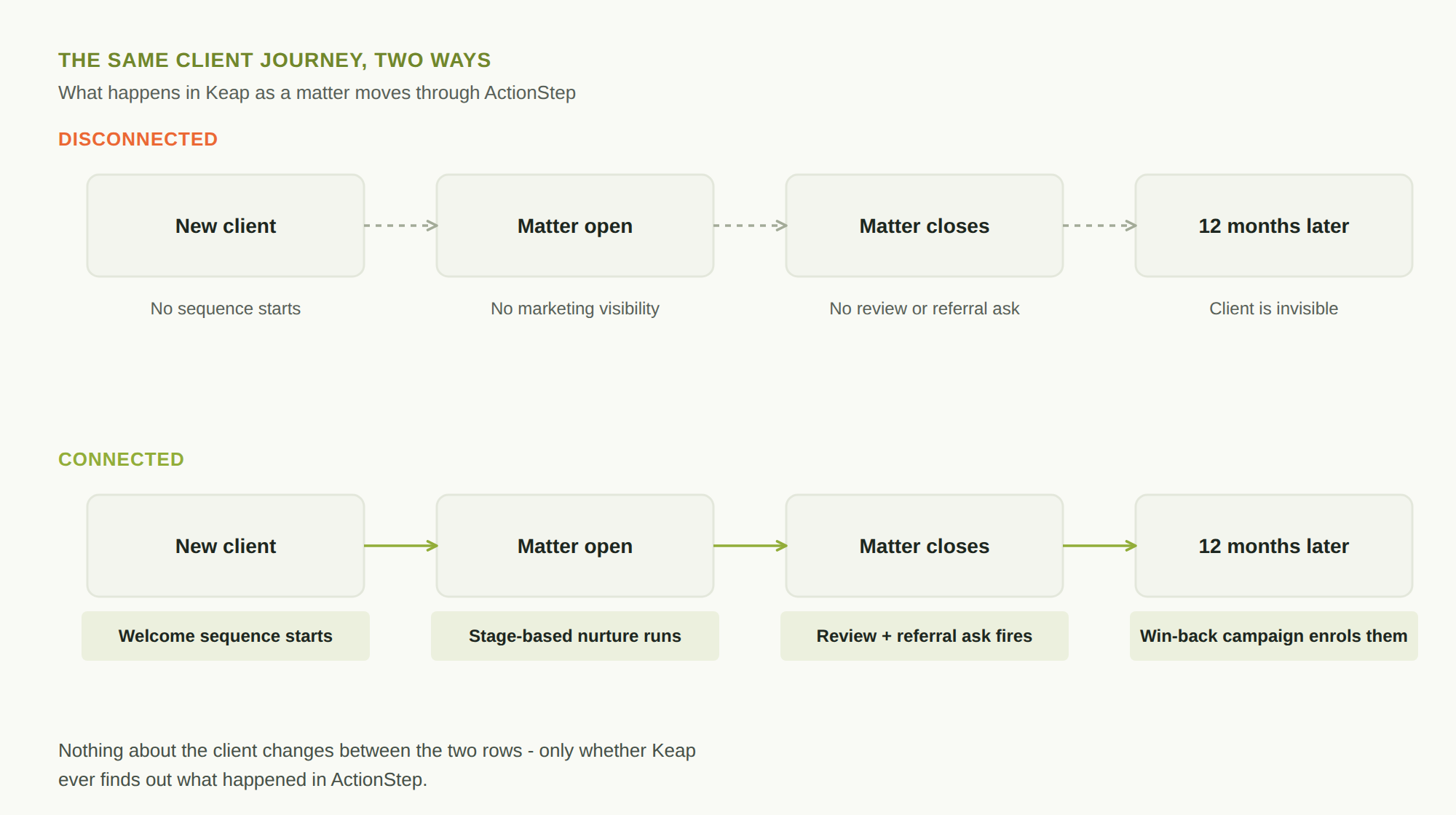
If your matter and client data lives in ActionStep and your marketing runs through Keap, “connecting ActionStep and Keap” is usually asked as an IT question - can the systems talk to each other. It’s really a marketing question. Every day the two stay disconnected, a new client’s onboarding never triggers a welcome sequence, a closed matter never triggers a review request, and a client who’s gone quiet for a year sits invisible to the campaigns that could bring them back. The systems aren’t the problem. The gap between them is.
What actually breaks when these two are disconnected
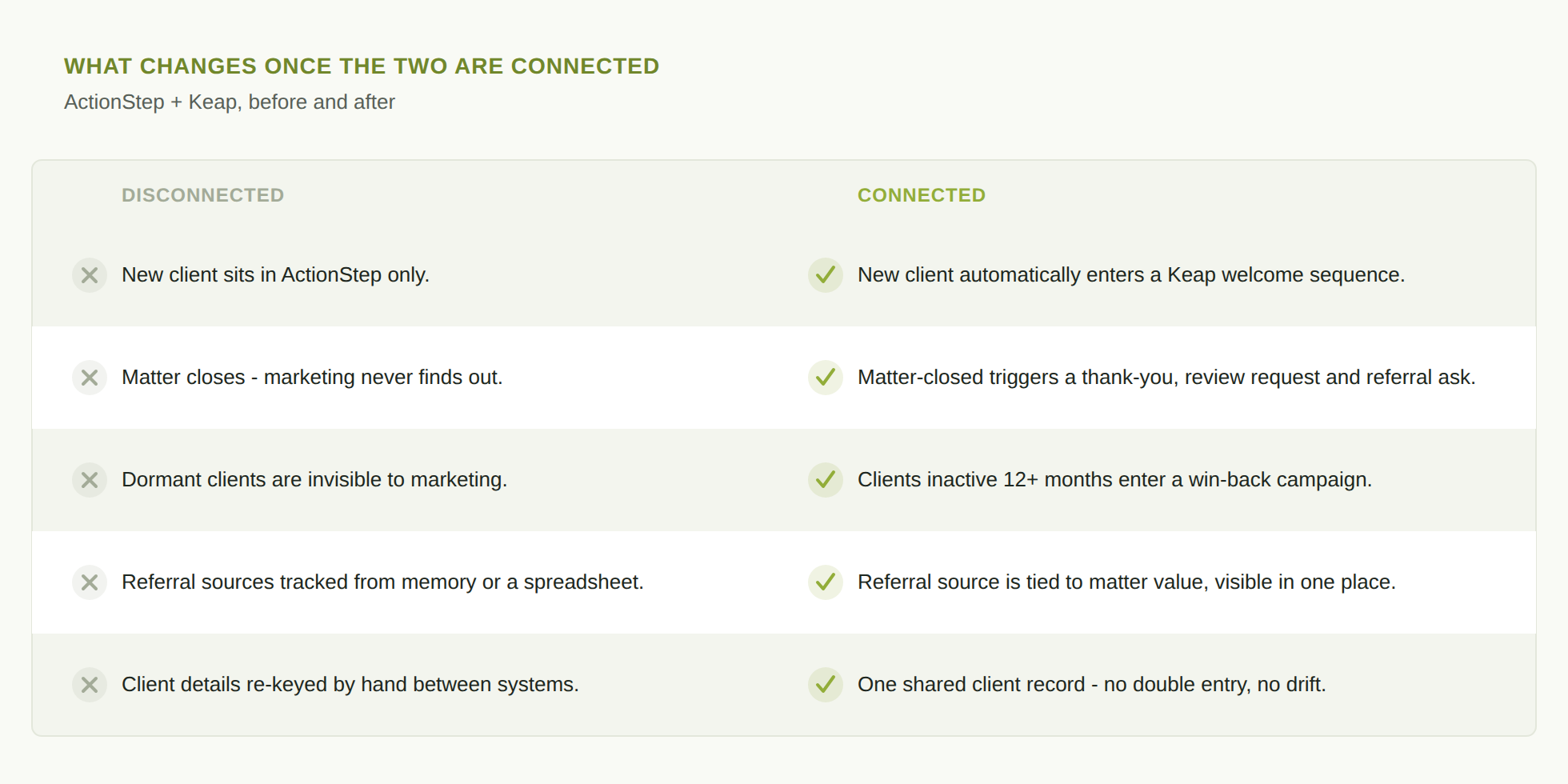
ActionStep holds the truth about your clients - who they are, what matter they’re on, what stage it’s at, when it closed. Keap is where marketing automation actually runs - sequences, campaigns, follow-ups. When the two don’t talk, marketing has to work from whatever gets manually re-keyed across, which in practice means it works from almost nothing. New clients don’t automatically start a nurture sequence. A matter closing doesn’t automatically trigger a thank-you, a review request, or a referral ask - the moments clients are most receptive to all three. Referral sources get tracked in someone’s memory or a spreadsheet, disconnected from the matter value they actually generated. None of this is a Keap problem or an ActionStep problem. It’s a wiring problem, and it’s fixable.
A real example: GM Law
We’ve done this connection ourselves. GM Law’s client and marketing data was split between ActionStep and Keap - client records updating in one system with no way for the other to know. We connected the two, clarified how data should flow between them, and used that foundation to automate the marketing workflows that had previously been manual or simply weren’t happening. The result: one connected CRM feeding real marketing automation, instead of two systems doing their own separate jobs.
What marketing automation becomes possible once they’re connected
This is the part that actually matters to a marketing team, not just an IT one. Once ActionStep and Keap share data properly, a handful of automations become genuinely simple to run:
- Intake-to-nurture. A new matter opening in ActionStep automatically enrols the client in a Keap welcome sequence - no one has to remember to add them.
- Matter-stage triggers. A matter changing status - especially closing - can automatically fire a thank-you, a review request, or a referral ask at the exact moment a client is most likely to respond.
- Win-back campaigns. Clients who’ve had no active matter for 12 months become visible to marketing for the first time, instead of quietly falling off the radar.
- Referral tracking that means something. Referral source can be tied to actual matter value in one place, rather than reconstructed from memory when someone asks which referrers are worth the relationship.
None of this requires an exotic AI build. It requires the two systems to share the same picture of a client, and Keap’s automation to run off real triggers instead of manual entry.
The business case for bothering
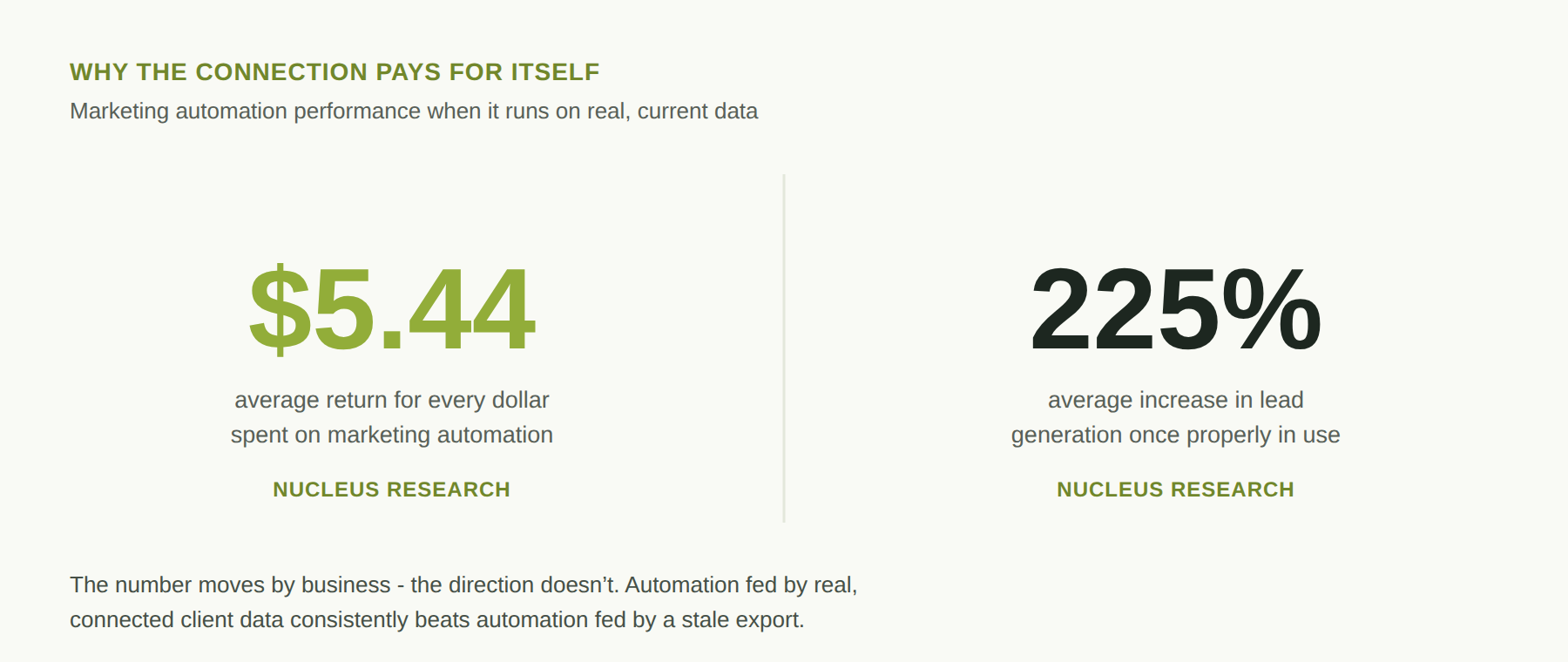
Marketing automation genuinely pays for itself once it’s fed real data - this isn’t just a Grid Concepts opinion. Nucleus Research’s long-running benchmark study puts the average return at $5.44 for every dollar spent on marketing automation, with organisations seeing a 225% average increase in lead generation once it’s properly in use. The number moves depending on the business, but the direction doesn’t: automation that runs on real, current data consistently outperforms automation running on a stale export from three months ago.
How the connection actually works
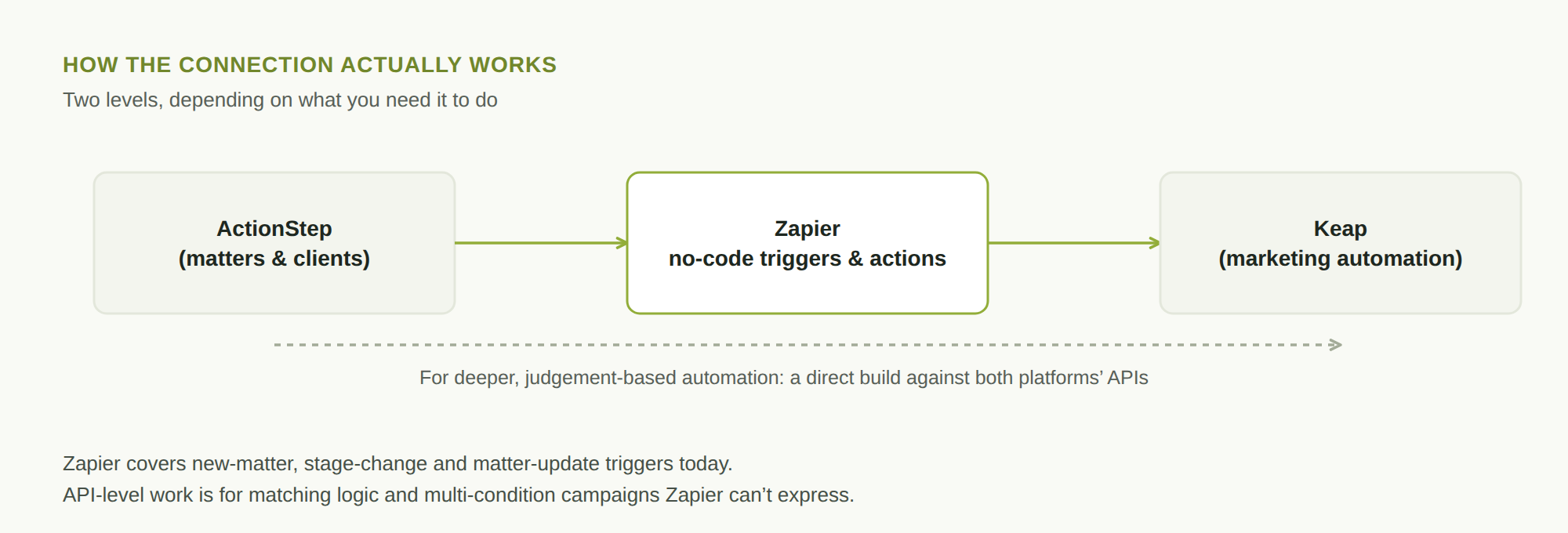
The starting point for most firms is Zapier, which already has a ready-made ActionStep-Keap integration - real triggers like a new matter being created, a matter’s step changing, or a matter being updated, mapped to real Keap actions like enrolling a contact or creating a product. That covers a genuinely useful slice of the automations above without anyone writing code.
Where it gets more involved is deeper, judgement-based automation - matching a client record precisely across both systems, or triggering campaigns off more nuanced conditions than a single field changing. That needs a build against both platforms’ own APIs, which both ActionStep and Keap support. It’s more work, but it’s a normal, well-understood integration project, not a research problem.
The part that actually breaks these projects
Before any of this, the more common failure point isn’t the connection - it’s what’s on either end of it. If a client’s name is spelled two different ways between ActionStep and Keap, or the same matter shows different values in each system, connecting them just moves the mismatch faster and makes it harder to catch. We cover this in more detail in Fix the data first - then AI works - it’s the step most integration quotes skip, and it’s usually why a project costs more than the first number you were given.
Where to start
Don’t start by shopping for a marketing automation platform or a developer. Start by checking whether your ActionStep and Keap client records actually agree with each other right now - pull ten recent clients and compare. If they line up, a Zapier connection or a small custom build will go smoothly. If they don’t, that’s the real first project.
Our complimentary AI-Readiness Data Check takes about ten minutes and gives you a plain read on where your systems and data stand before you spend on connecting anything - including whether ActionStep and Keap are actually in sync today.